Quickstart
Launching the Competition
Take control of the fight order in your tournaments with the Ashihara Karate Scoreboard software. By following these steps, administrators can effortlessly manage and organize the sequence of fights for a streamlined competition experience.
- Log in to your account as the administrator.
- Navigate to the Scoreboard section in the application.
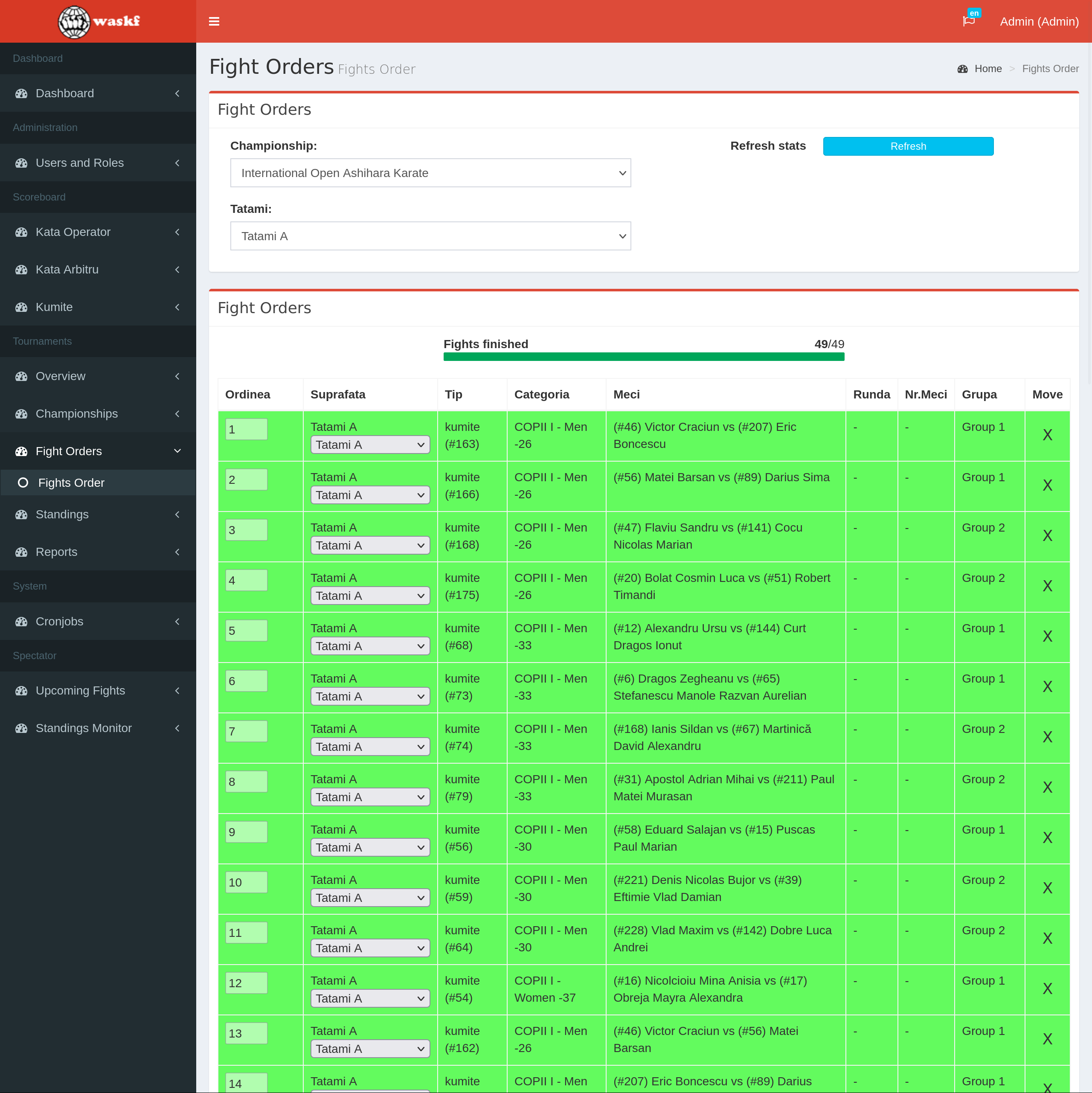
- Once the Scoreboard is loaded, access the "Fights Order" menu and select the "Fights Order" submenu.
- Choose the specific Championship and Tatatmi from the available options.
- A list of all fights on the selected Tatami will be displayed.
- Easily reorder the fights by using drag and drop functionality within the fights table by selecting the X icon
- Additionally, you can move fights from one Tatami to another by selecting the desired Tatami from the dropdown for each fight
- Rows in the table representing finished fights will have a green background to indicate completion.
- Requalified fights will be distinguished with a yellow background.